

QuickLooks
Instant pulse on your business health — interactive metric snapshots pinned directly to your Home Screen.
QuickLooks are your always-visible pulse on business health. Promote any dashboard to a QuickLook and it greets you the moment you land on the Home Screen — a live, interactive snapshot of the metrics that matter most, without a single click of navigation.
How to set up a QuickLook
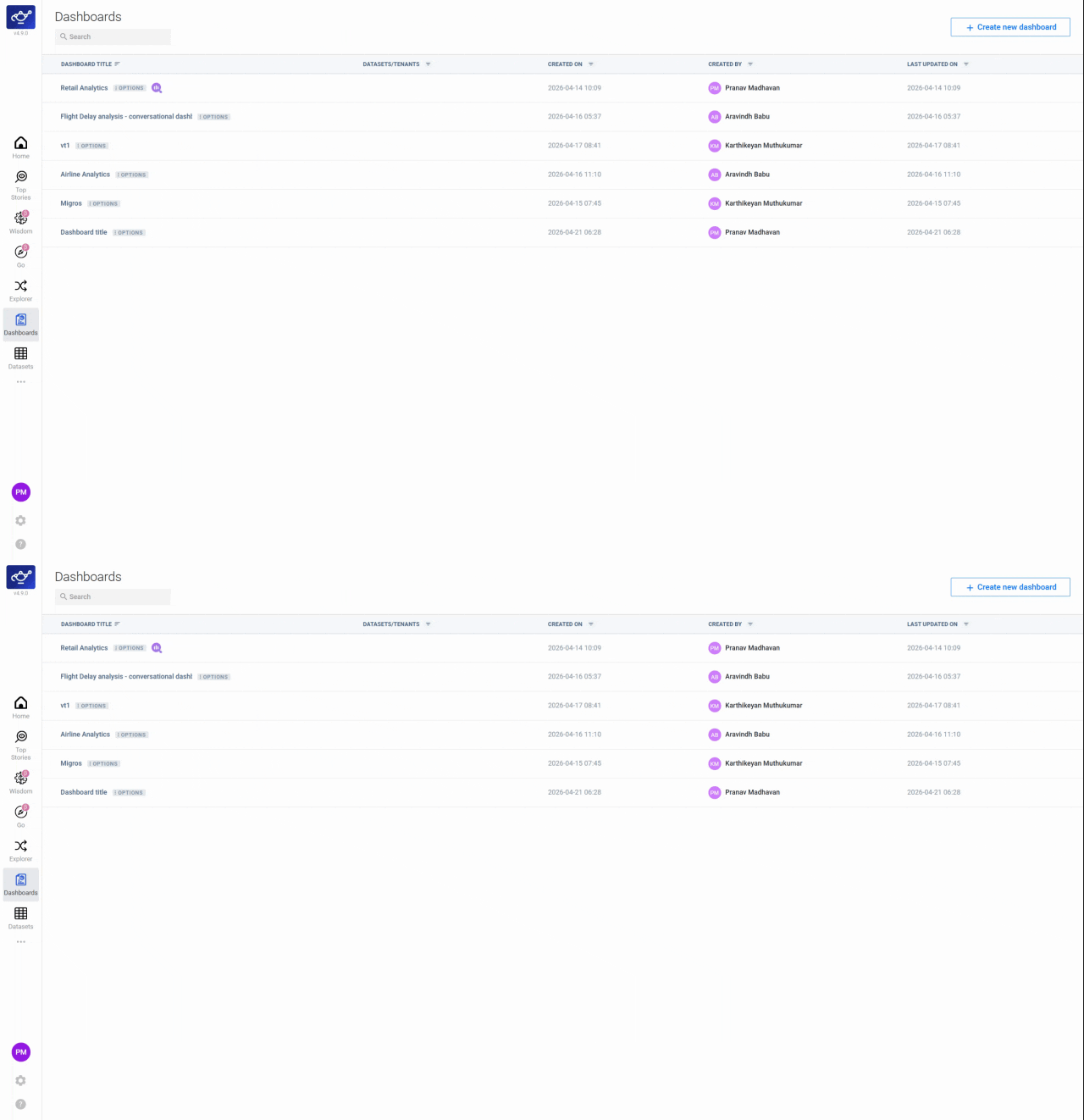
Open the dashboard you want to pin
Navigate to Dashboards and open the dashboard you want to monitor on your home screen. The dashboard editor opens, showing all your configured charts and panels — this is the starting point for promoting any dashboard to a QuickLook.
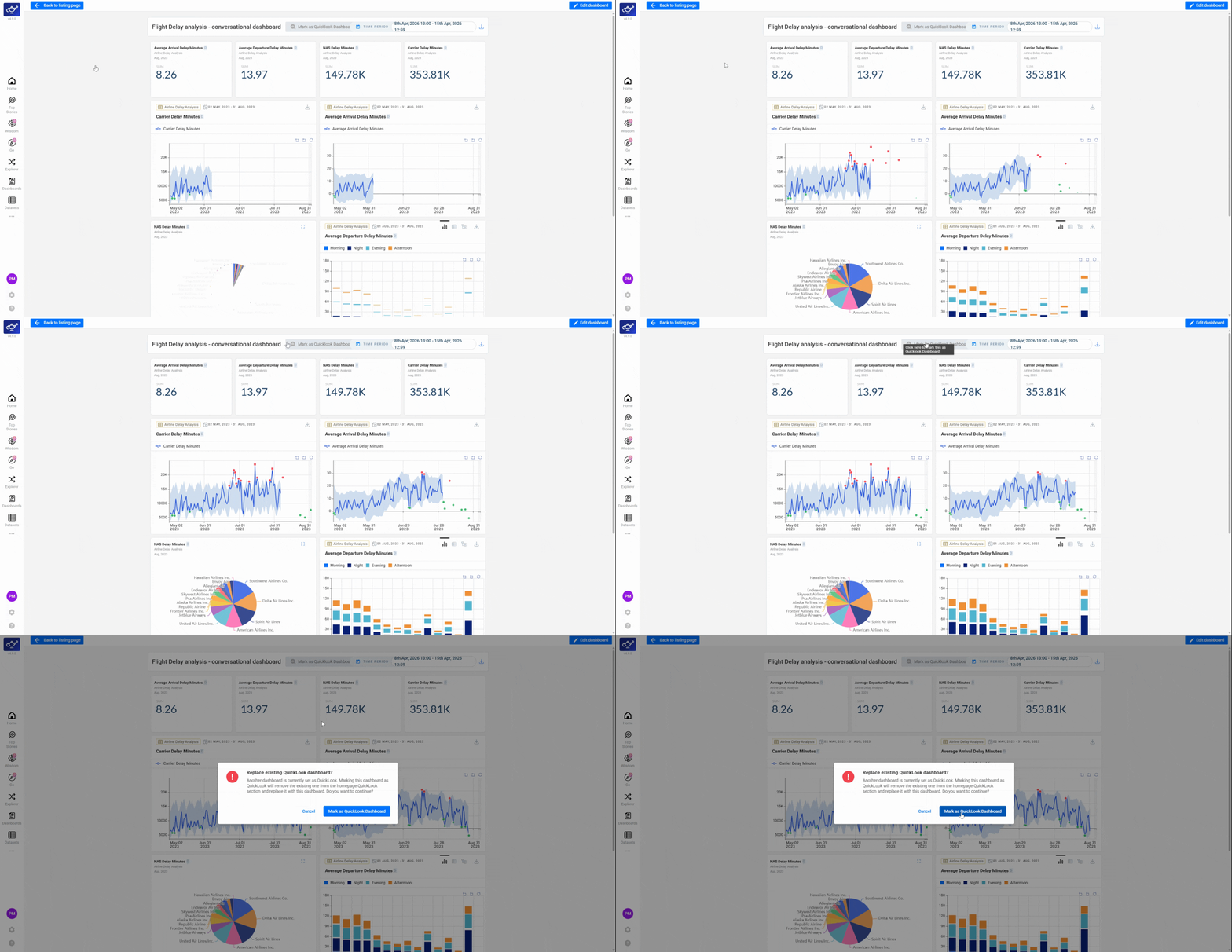
Click Mark as Quick Look Dashboard
At the top of the dashboard editor, click Mark as Quick Look Dashboard. This instantly pins the selected dashboard to your Home Screen — it will appear every time you log in, with no navigation required.
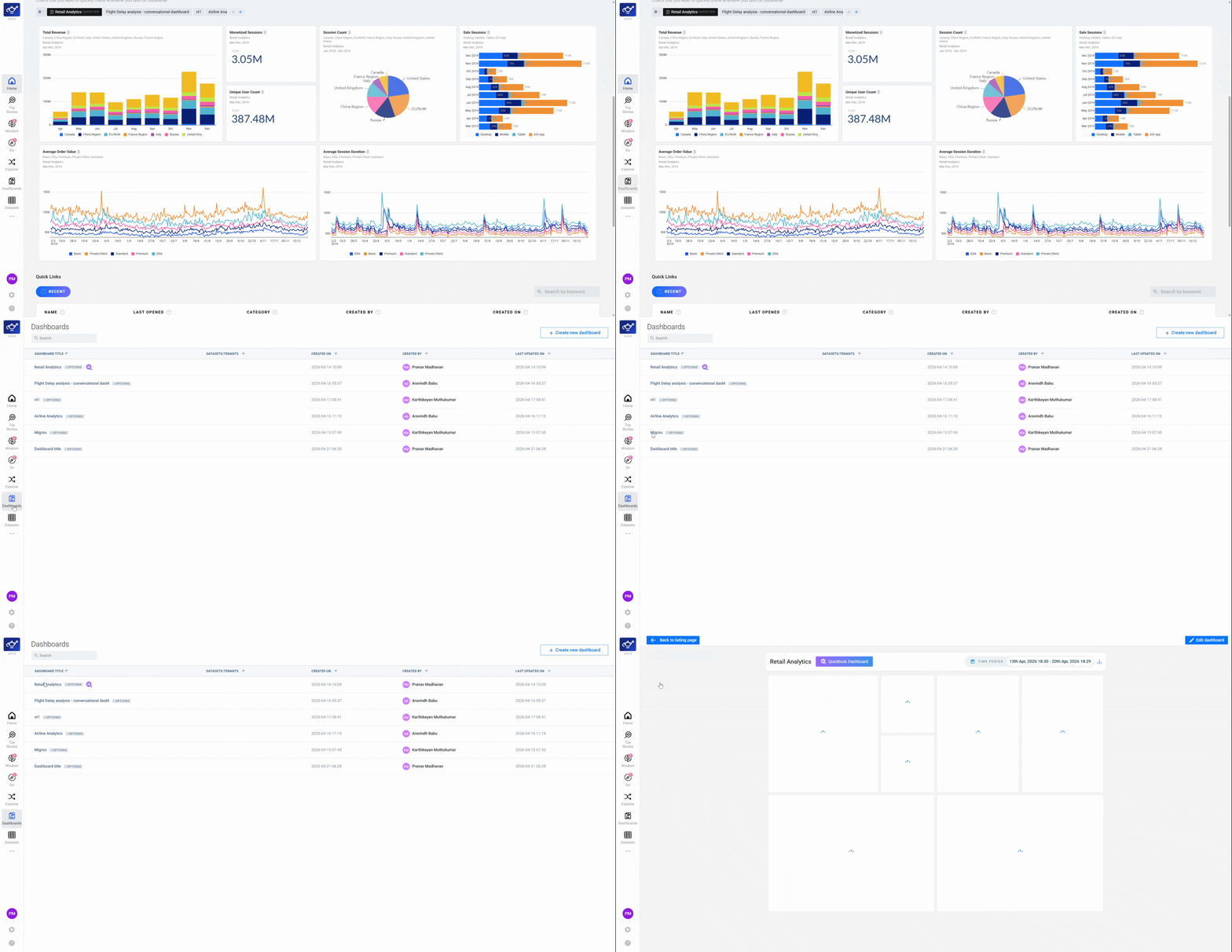
View your QuickLook on the Home Screen
Return to Home to see the QuickLook section with your pinned dashboard. The view is live and interactive — metric values update with your data and you can explore the charts directly from the home screen without opening the full dashboard.
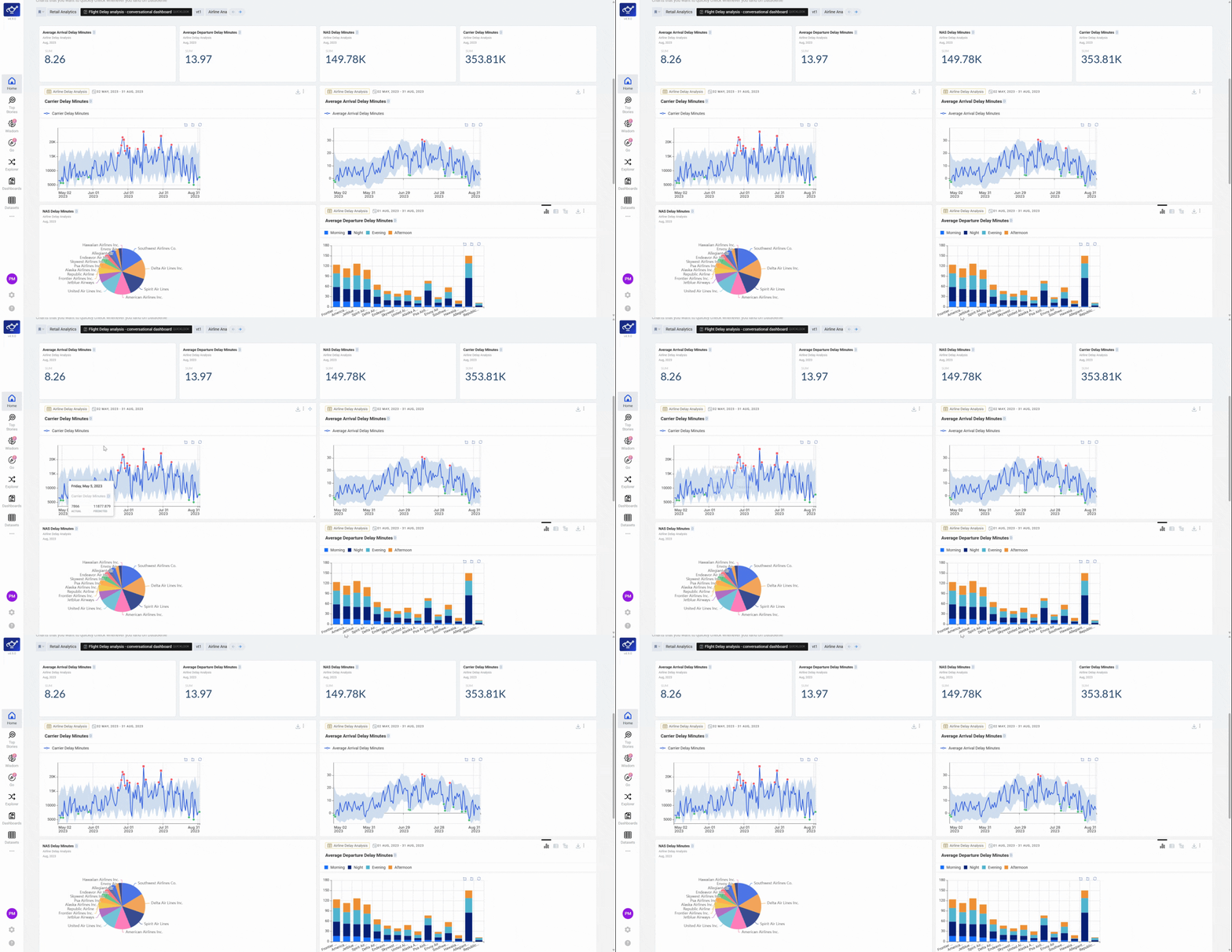
Update the pinned dashboard
To swap which dashboard appears, reopen the editor for a different dashboard and click Mark as Quick Look Dashboard again. The Home Screen immediately reflects your new selection — the previous QuickLook is replaced and your home view stays current with your evolving priorities.
Build a "Morning Briefing" dashboard with the 3–4 charts your team reviews at standup — then mark it as a QuickLook. Everyone on the team sees the same live view the moment they open DataGenie.
QuickLook vs Dashboard
Dashboard
A saved, shareable collection of charts and panels. Accessible from the Dashboards section and viewable by team members with the right access.
QuickLook
Any dashboard promoted to the Home Screen for fast daily reference. Only dashboards marked as QuickLooks appear on the Home Screen feed.