

Top Stories
Connected anomaly narratives — When, Where, What, What Else, Why — ranked by business impact. No queries required.
Top Stories is connected anomaly narratives — When, Where, What, What Else, Why — ranked by business impact, with no queries required. DataGenie autonomously tracks hundreds of thousands of metric combinations and packages every material change into a single scannable story with root cause and contributors. See Autonomous Insights for the detection model.
How to use Top Stories
Review the Top Stories feed
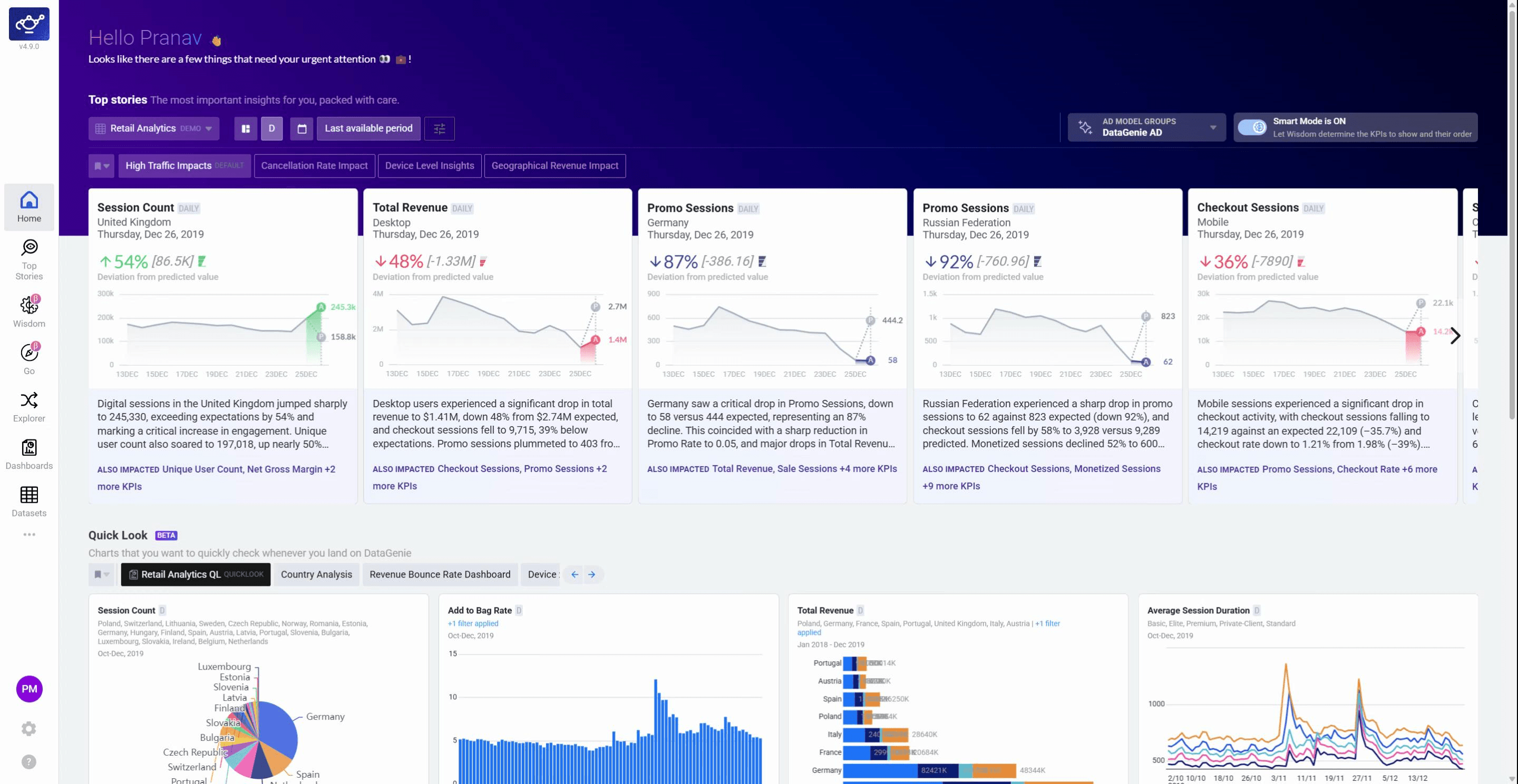
Open Top Stories from the left sidebar to see key metrics and anomalies ranked by business impact.
Drill into a story for deeper detail
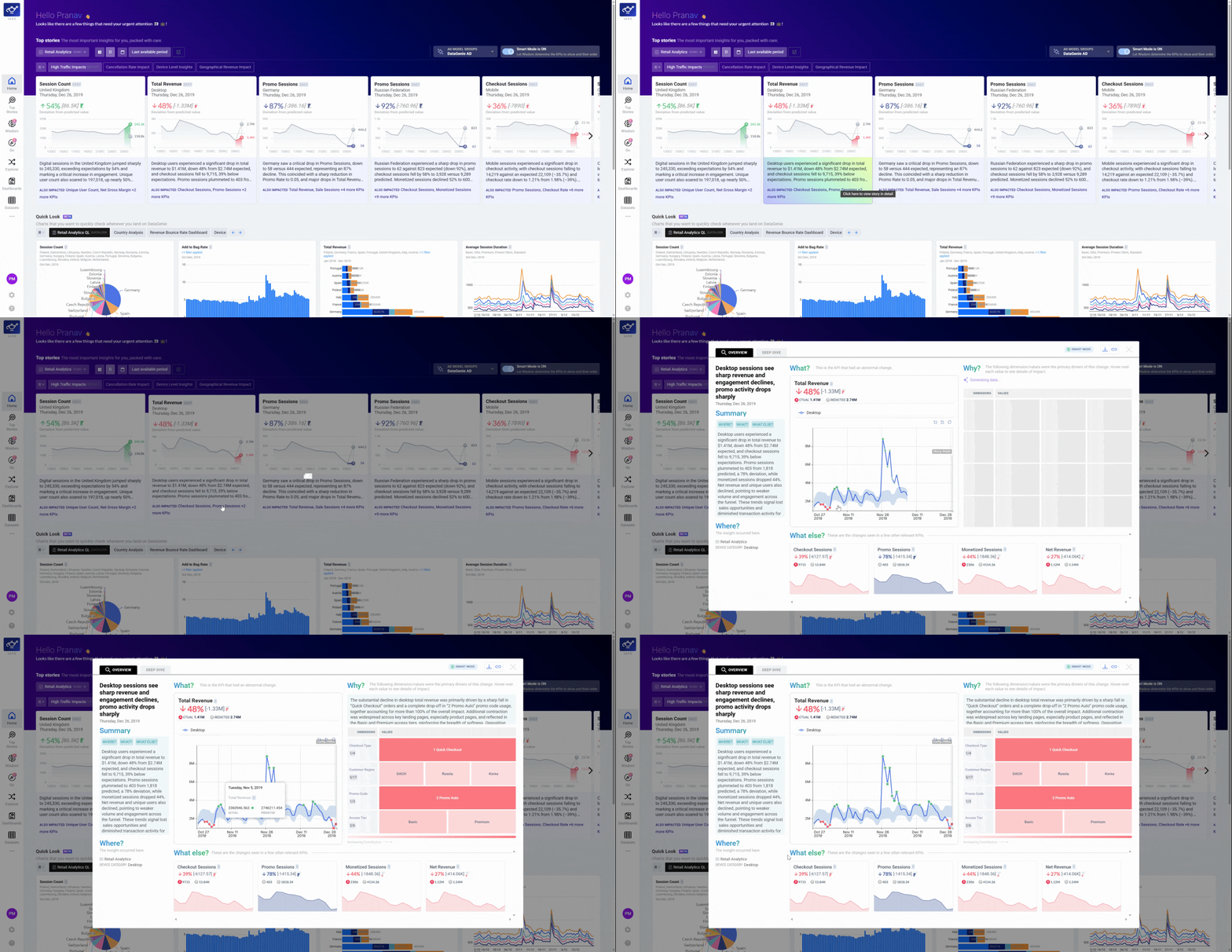
Click any story card to open its full report — When, Where, What, What Else, and Why.
Explore charts and the summary
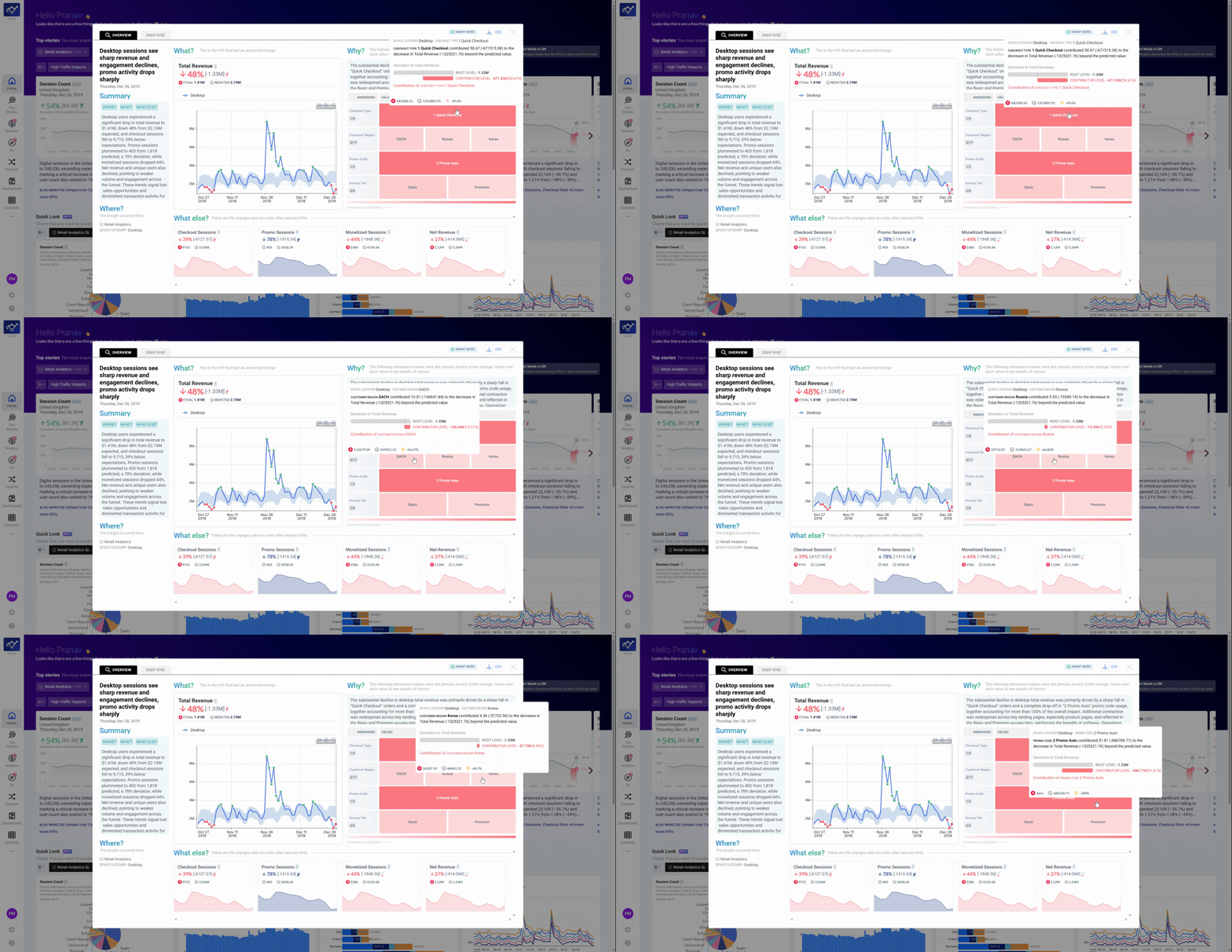
Review the summary section and interact with the charts to understand contributors, trends, and root cause.
What's next
KPI Attribution
Tree view of Contributors, Opposers, and Side Effects behind any story.
Alerts configuration
Stay informed on autonomous insights without checking in manually.
Filter Presets
Control which stories get generated — scope autonomous detection to your team's focus.
Trend analysis
Multi-period overlays for deeper historical context.
Wisdom
Validate or follow up on any story in plain English.
Autonomous Insights
Understand the detection engine behind Top Stories.