

Dimensional Analysis — Top N & Bottom N
Rank dimension values by their contribution to a KPI — identify the highest-impact and lowest-performing segments at a glance.
Dimensional Analysis lets you rank any dimension's values by their contribution to a KPI — the Top N drivers with the highest positive impact, or the Bottom N segments with the lowest or most negative performance.
How to use Dimensional Analysis
Open Explorer and select a KPI
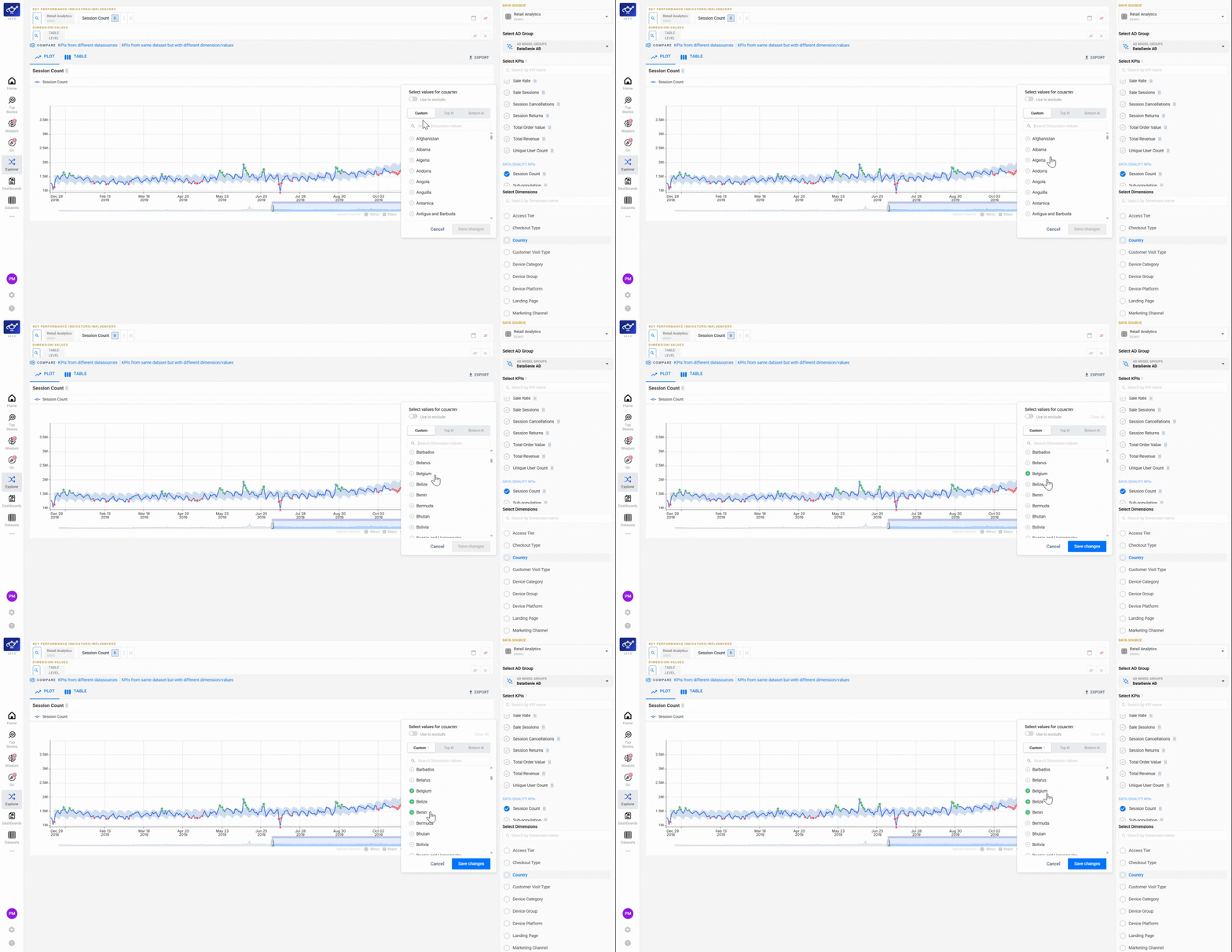
Open Explorer from the sidebar to see your full KPI list, then click the metric you want to analyze. The selection window opens showing three tabs — Custom, Top N, and Bottom N. Under the Custom tab you can pick specific dimension values to create side-by-side comparisons tailored to your needs.
Switch to the Top N or Bottom N tab
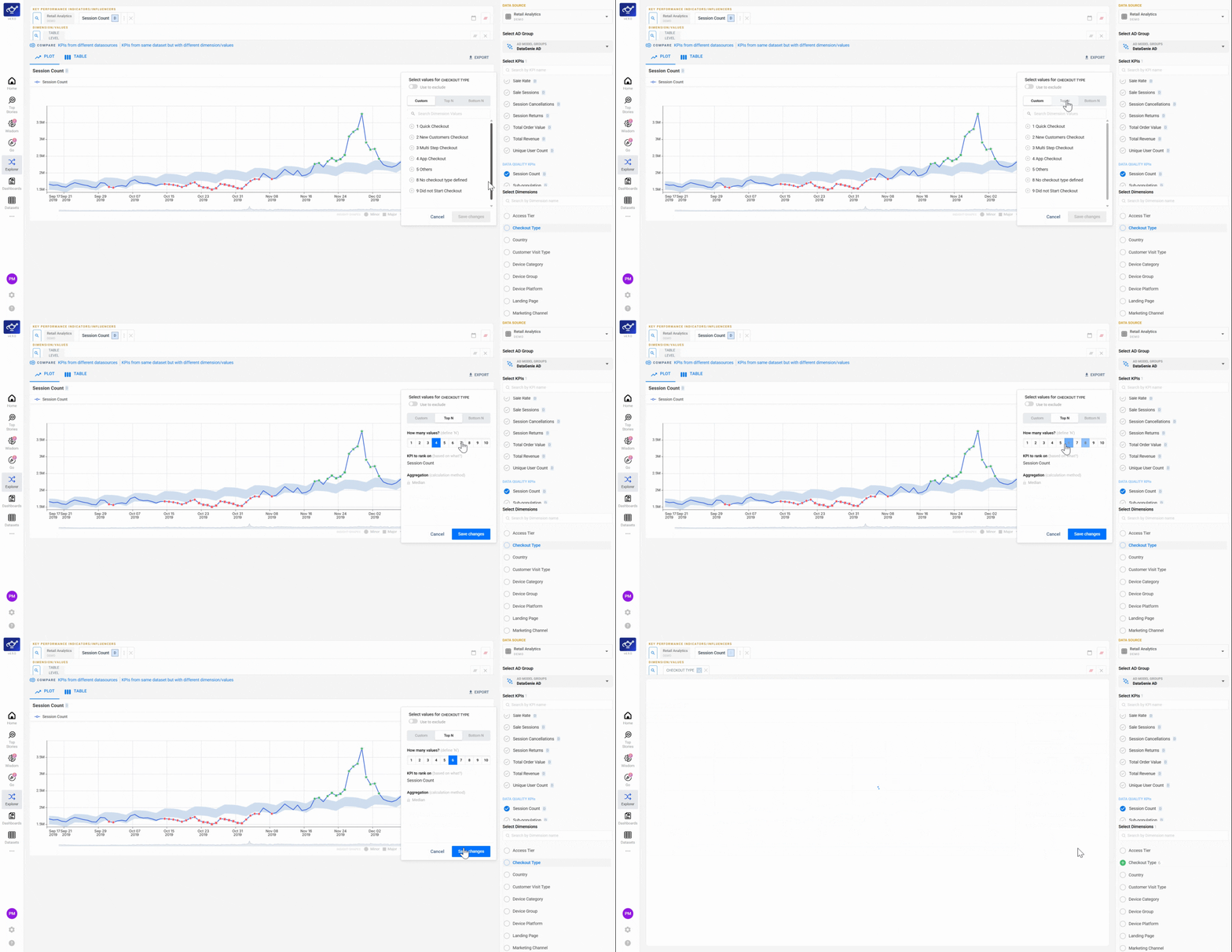
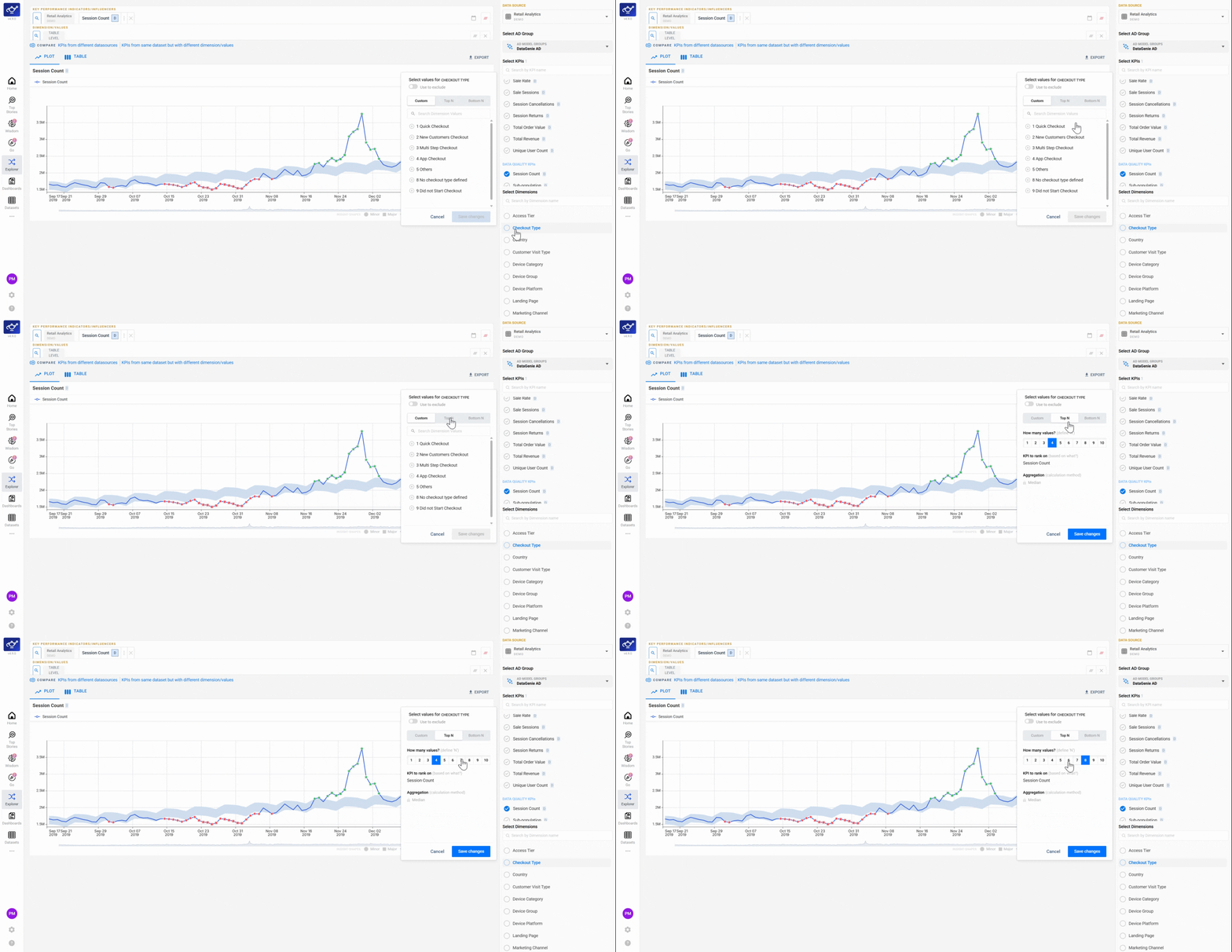
Click the Top N or Bottom N tab to shift from manual selection to ranked results. Top N surfaces the dimension values with the highest contribution to the KPI; Bottom N surfaces the lowest-performing segments — useful for spotting underperforming channels, cohorts, or regions at a glance.
Enter a number to set your ranking cutoff
Type how many results you want — for example, 5 for the top or bottom 5 dimension values. Explorer immediately ranks the results by contribution to the selected KPI, so you can see exactly which segments are carrying the most weight or dragging performance down.
Use Top N to build your Filter Presets — if the top 3 countries consistently account for the majority of KPI movement, create a preset that isolates them. This keeps your Top Stories feed focused on the segments that actually matter.