

Memories
Wisdom remembers the durable things about how you analyze — the metrics you care about, how you like answers framed — and applies them to every answer. Confirmation-gated and private to you.
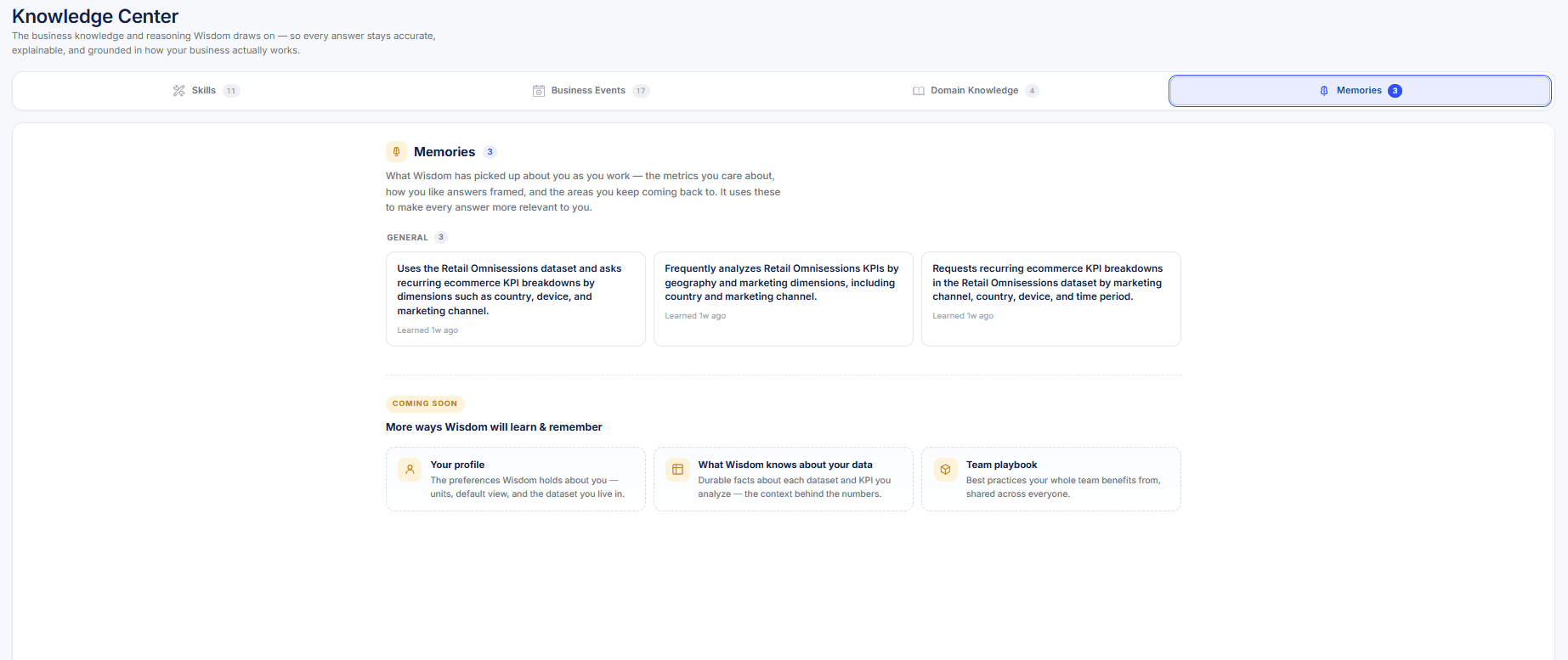
Memories is where Wisdom keeps the durable things it learns about how you work — the metrics you care about, the dimensions you slice by, and how you like answers framed. It draws on them to make every answer more relevant, without you re-stating your preferences each time. Memories sits alongside Skills, Business Events, and Domain Knowledge in the Knowledge Center.
You're always in control. Wisdom proposes a memory and you confirm it — nothing is saved silently. Memories are private to you and scoped per dataset, and you can review, edit, or delete any of them at any time. See Responsible AI.
How Memories work
Wisdom notices a durable preference
As you ask questions, Wisdom picks up on the patterns that recur — the KPIs you return to, the breakdowns you favor, and the way you like figures shown (for example, revenue in millions, or leading with the "why").
It proposes — you confirm
Wisdom surfaces the preference as a suggested memory. Nothing is stored until you accept it, so the memory bank only ever holds what you've approved.
Future answers apply it
Once confirmed, the memory shapes later answers automatically — Wisdom frames results the way you prefer and focuses on the metrics and segments you care about, across your sessions on that dataset.
A correction is a memory too. Give an answer a thumbs-down with a short note on what was off and — once you confirm — Wisdom remembers it and applies the correction to future answers.
Review, edit, or remove your memories
Open Knowledge Center → Memories to see everything Wisdom has learned about how you work. Each memory is a plain-language line you can read at a glance. Edit one to refine it, or remove any you no longer want — the change takes effect on your next question. Because memories are per user and per dataset, what you keep here only ever affects your own answers on that dataset.
What Wisdom remembers
Metrics & dimensions you focus on
The KPIs you return to and the breakdowns you favor — so Wisdom leads with what matters to you.
How you like answers framed
Presentation preferences — units and scale (for example, revenue in millions), or leading with the "why."
Areas you keep coming back to
The parts of the data you revisit most, so your recurring questions stay a step away.
Corrections you make
A thumbs-down with a note becomes a remembered correction, applied to future answers.